
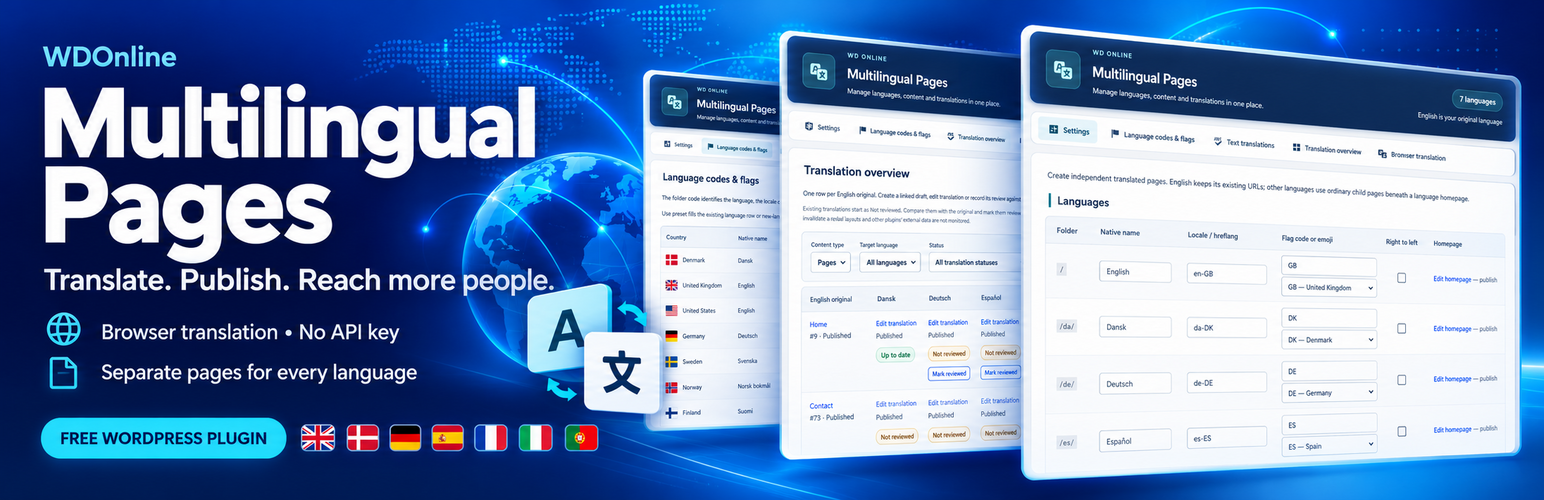
WDOnline Multilingual Pages
Make your WordPress website feel at home in more languages. WDOnline Multilingual Pages helps you create, organize and publish translated versions of your WordPress pages and posts. Give visitors an easy way to choose their language while keeping full control over your content, design and publishing workflow. Use your preferred language as the starting point and build additional language versions as your website grows. The plugin is completely free, including its optional browser translation tools—without a paid translation subscription or API key.Translate Your Content Directly in WordPress
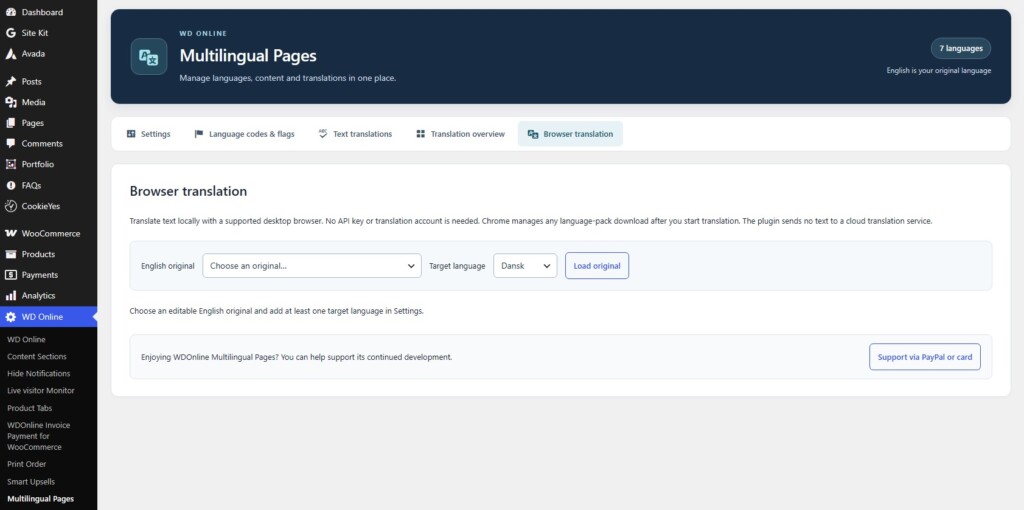
Spend less time moving text between tools. The built-in browser translation workbench uses a supported browser’s translation engine to translate your text. Review the result, make your adjustments, and save it as a linked WordPress draft.- Translate text between supported language pairs.
- Preserve supported formatting, including headings, bold text and lists.
- Generate a URL name from the translated title, keep the original name, or enter your own.
- Review and refine the translation before publishing.
- Keep the original content unchanged.
Your Languages, Your Content
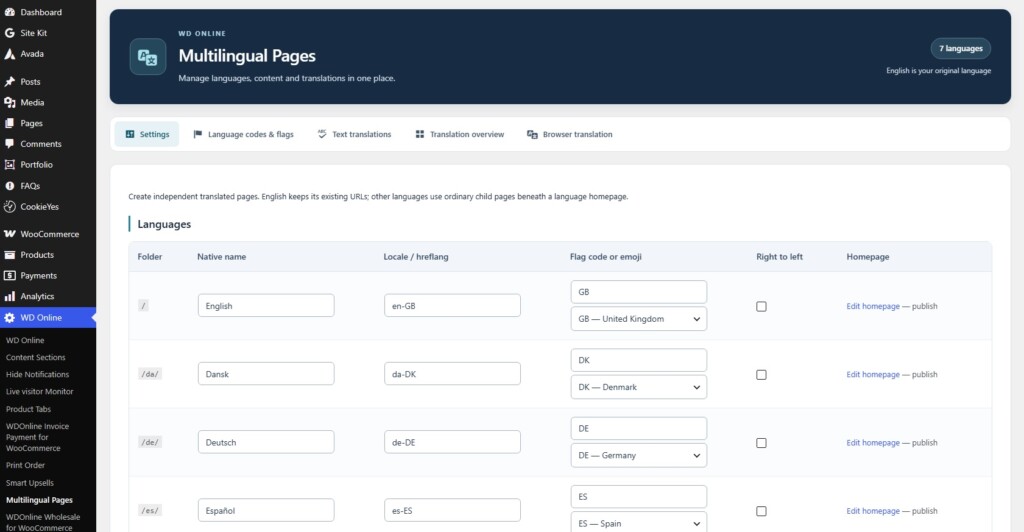
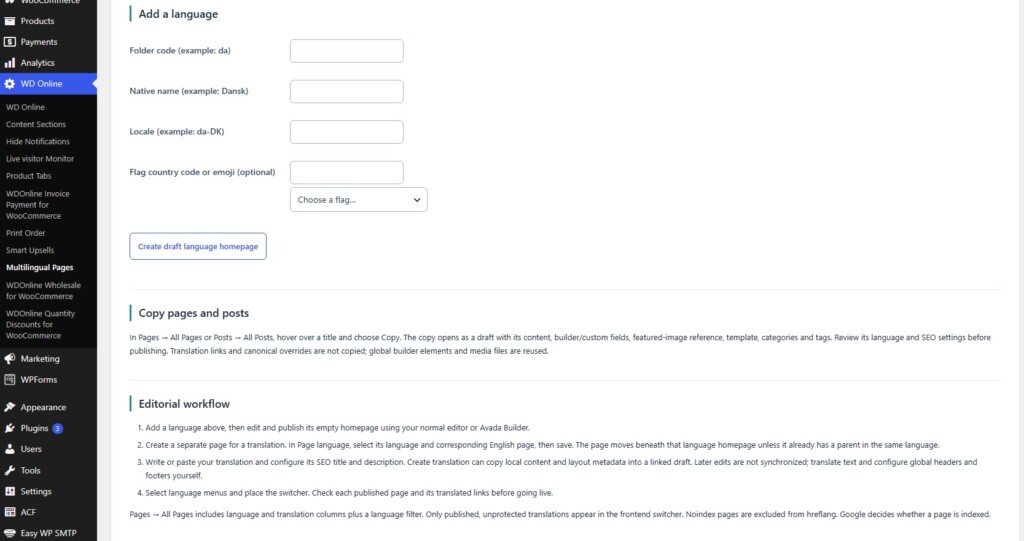
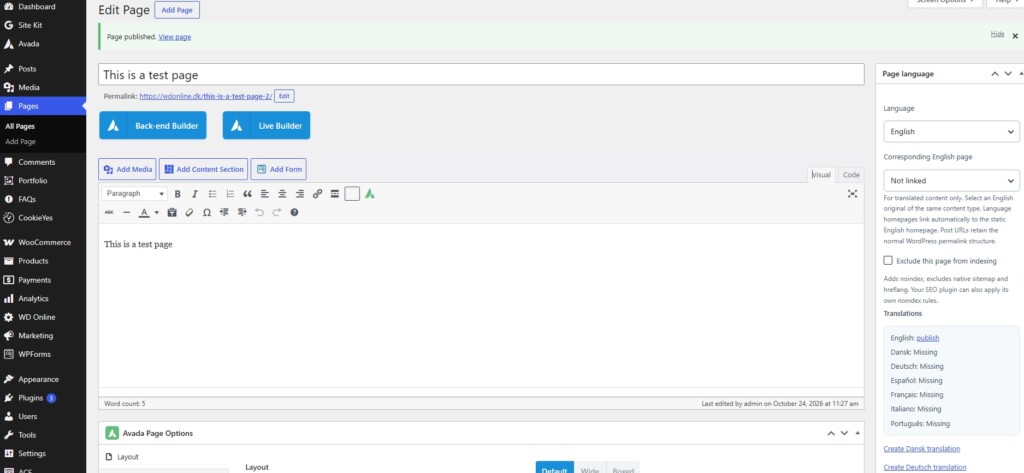
Choose the original language that suits your website and add the languages your audience needs. Each translation is stored as an independent WordPress page or post. You can edit its wording, adapt its content for a different audience, and maintain it alongside the original.Translated pages use clear language folders, such as:
yourwebsite.com/da/contact/yourwebsite.com/de/contact/yourwebsite.com/fr/contact/
Work With WordPress and Avada
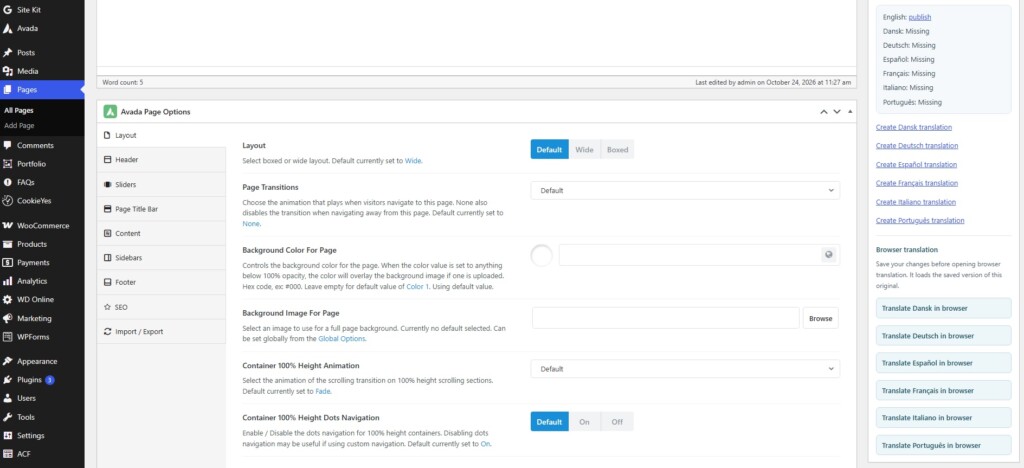
Create and edit translations using familiar WordPress tools. Use the standard editor for your content, or work with translated pages in Avada. The Copy and Create Translation tools help you reuse existing page structures, builder metadata and settings when preparing another language version. The browser translation workbench is particularly useful for text-based content. Complex builder layouts can be edited separately, giving you control over both the translation and the finished design.A Language Switcher That Fits Your Design
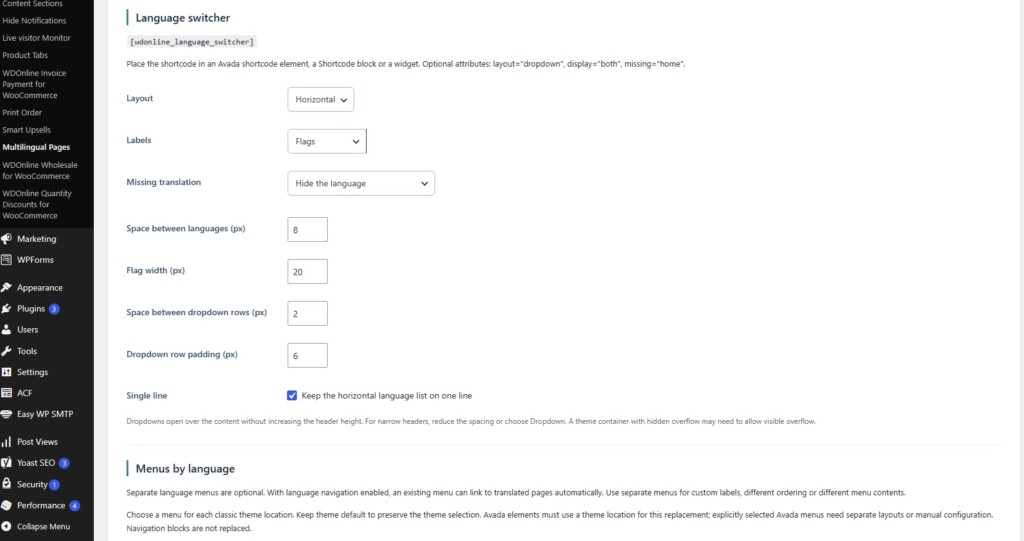
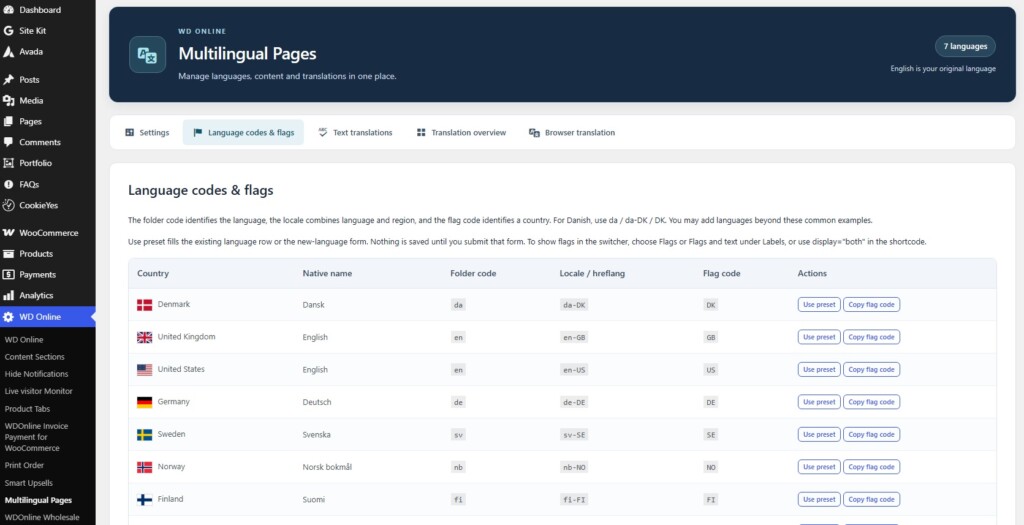
Help visitors find their language with text labels, country flags, or a combination of both. Choose a horizontal list or a dropdown menu and customize:- Flag size.
- Spacing between languages.
- Spacing and padding within the dropdown.
- Whether the horizontal list stays on one line.
Translate More Than Page Content
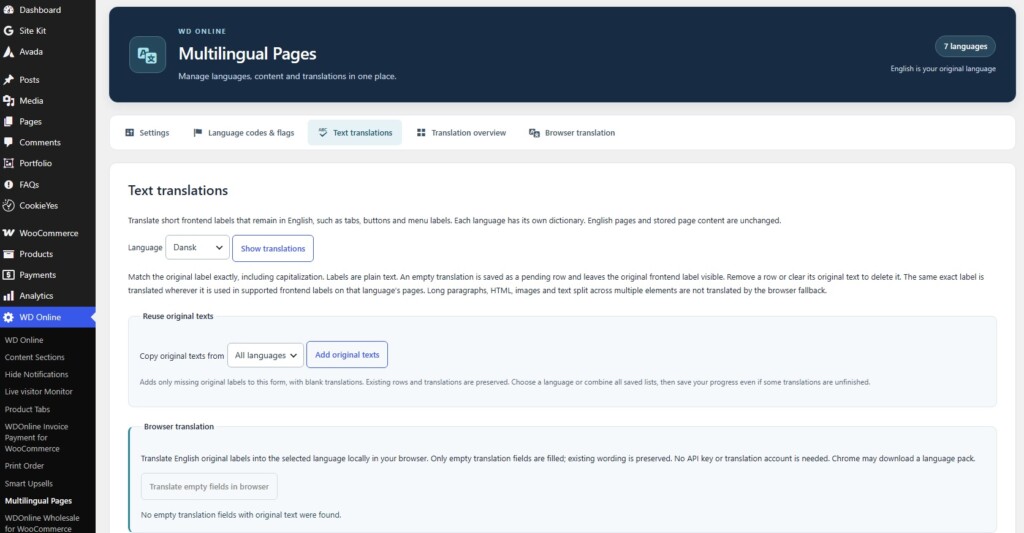
Small details make a multilingual website feel complete. Use Text Translations to define translations for supported buttons, tabs and other short labels. For example, display “Description” as “Beskrivelse” when Danish is selected. Reuse your list of original labels when adding another language, and optionally use browser translation to fill empty translation fields.Keep Track as Your Website Grows
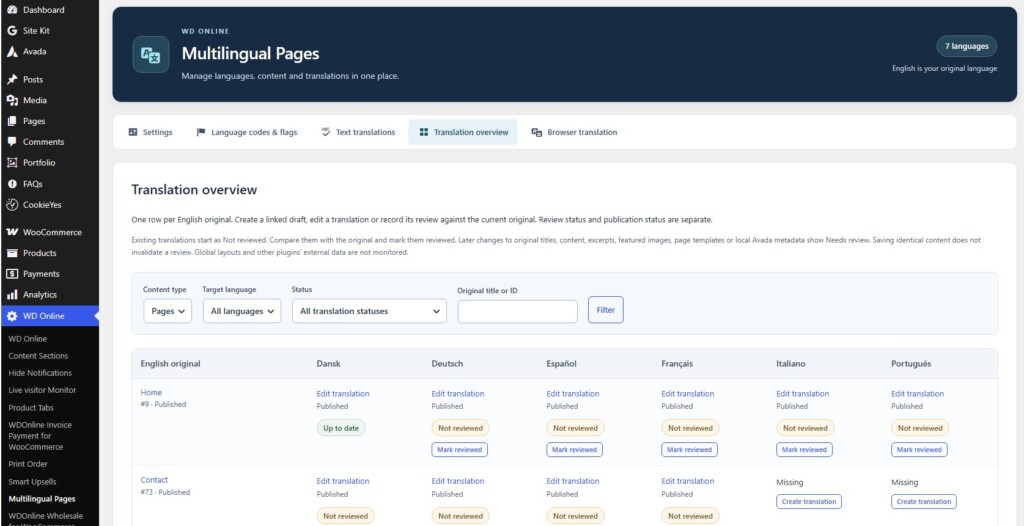
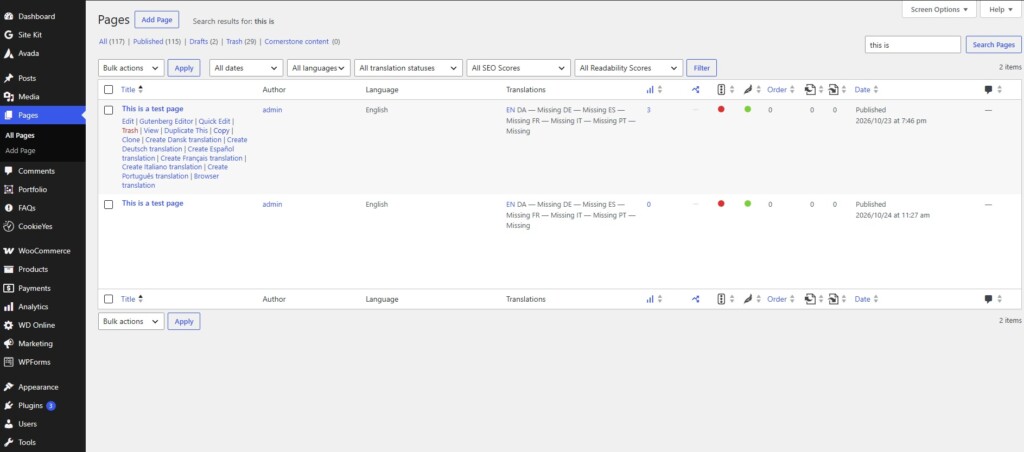
Manage your language versions with tools that make missing or outdated content easier to find.- Filter pages and posts by language.
- Find content missing a specific translation.
- View linked translations in one overview.
- Identify translations whose original content has changed.
- Create independent copies of pages and posts as drafts.
Give Every Language Its Own Searchable Pages
Help people discover your website when they search in their own language. WDOnline Multilingual Pages saves your translations as independent WordPress pages with their own URLs. Once published and accessible to search engines, each language version can be crawled, indexed and shown in relevant search results. For example, your Danish, German and French pages can each become an entry point to your website. A translation displayed only in a visitor’s browser does not create a separate, indexable language page on your website. It helps that visitor read the content, but does not by itself give Google an additional language version to include in search results. With WDOnline Multilingual Pages, browser translation is a content creation tool: you generate the translation, review it, and publish it as a permanent page. This gives you:- Separate URLs for each language, which visitors can find, bookmark and share.
- Opportunities to appear in searches in additional languages, using your published translated content.
- Reciprocal
hreflanglinks, helping Google understand the relationship between language versions. - Control over each translation, so you can refine the wording, headings and URL name for your audience.
Bring Your Website to a Wider Audience
Whether you are translating a few key pages or building a website in several languages, WDOnline Multilingual Pages gives you a practical way to manage the process inside WordPress. Download it for free, use it for free and start creating a website that speaks your visitors’ language. You get access to ALL features immediately and don't have to worry about having to buy extra services to get the full benefit. Automatic translation requires a supported desktop browser and an available language pair. An initial translation-model download may be required. The browser workbench preserves supported text formatting; complex Avada layouts and shortcodes may need separate editing. Published translations can be viewed in any browser.Do you have suggestions for improvements to this plugin?
Plugin screenshots
Support WD Online
Our plugins are free. If you find them useful, you can support continued development. You decide the amount yourself and we see any amount as recognition that our plugin helps others.

Click the link below to download the plugin from wordpress.org.