
Organize your product information. Make your tabs your own.
Give customers an easier way to find the details they need before buying.
WDOnline Product Tabs for WooCommerce lets you create reusable tabs, add information unique to individual products, arrange tabs with drag and drop, and customize their appearance—all from your WordPress administration area.
Use it for shipping details, fitting instructions, compatibility information, care guides, size charts, and other useful content beneath your products.
Completely free, with no premium upgrade required.
Create once. Use across your store.
Save time by creating reusable tabs instead of copying the same information into multiple products.
Display a shared tab throughout your store or limit it to selected products and categories. When you update its content, the changes appear wherever that tab is used.
Reusable tabs are ideal for:
- Shipping and delivery information
- Installation and fitting instructions
- Materials and care advice
- Size guides and compatibility details
- Frequently asked questions
Show relevant content on the right products
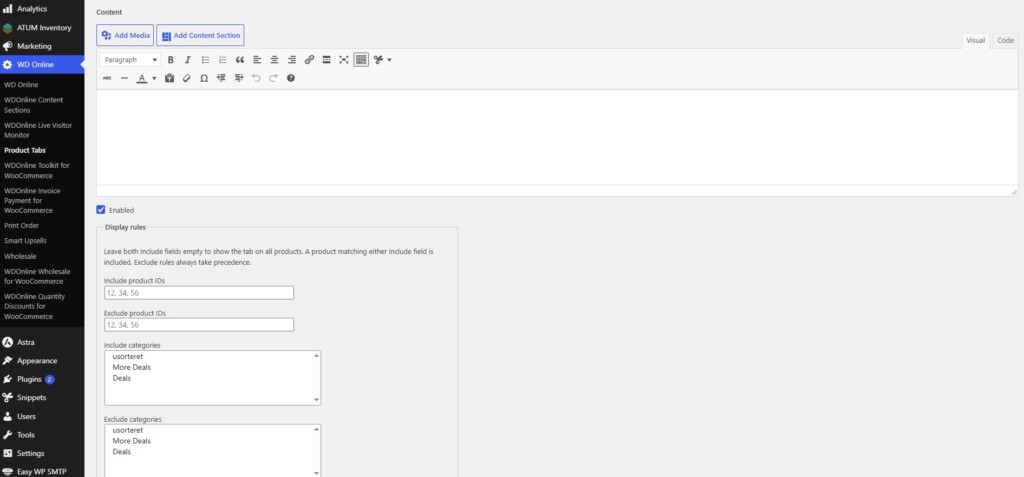
Each reusable tab has its own display rules.
Include specific products or categories, exclude exceptions, or leave the inclusion fields empty to make the tab available across your store. Category rules match the categories assigned directly to each product.
For example, display fitting instructions on key shells and a separate care guide on accessories.
Add tabs unique to individual products
Some information belongs to just one product.
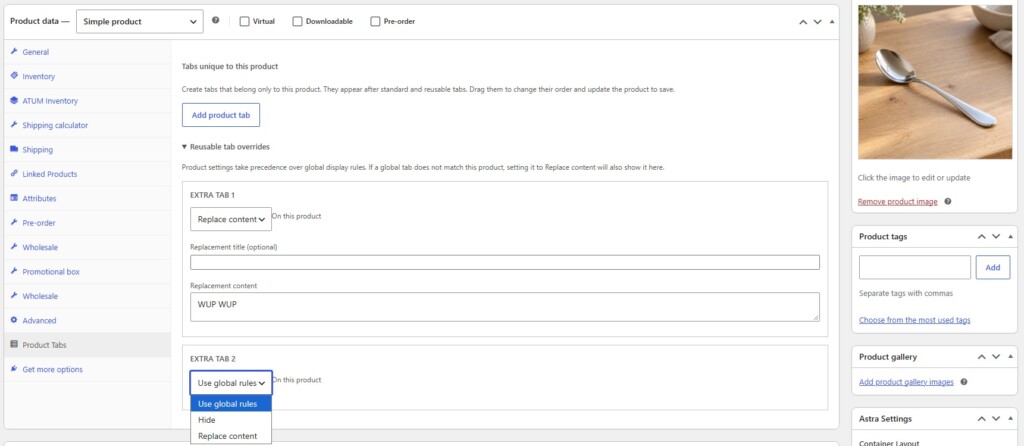
Create individual tabs directly in Product data → Product Tabs in the classic WooCommerce product editor. Use the visual editor to add formatted text, images, and shortcodes.
Drag these tabs into your preferred order, or temporarily hide a tab while keeping its content for later use.
Arrange tabs with drag and drop
Control how customers move through your product information.
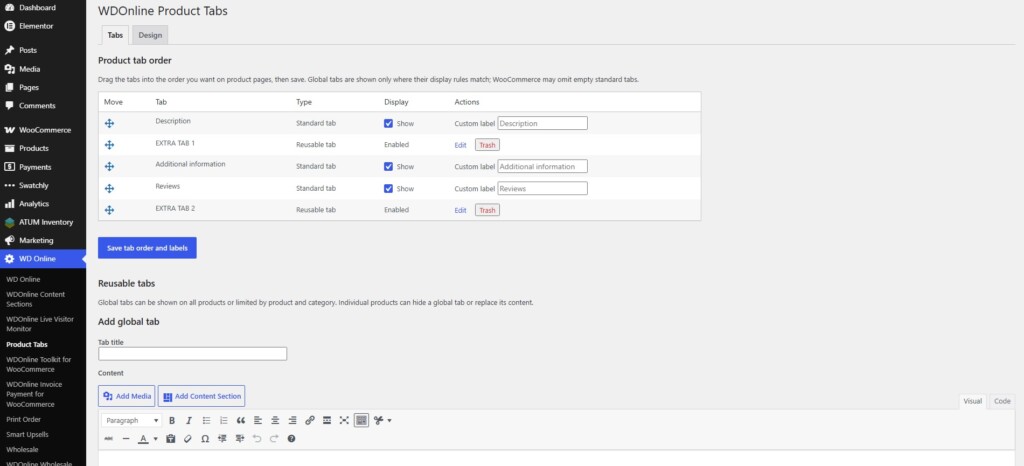
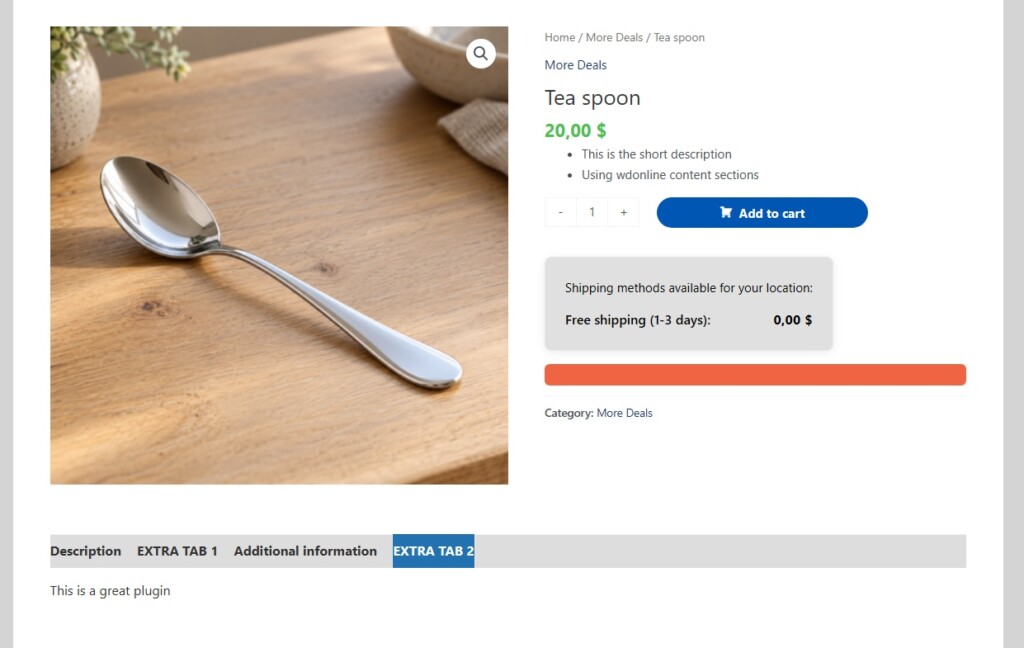
Standard WooCommerce tabs and reusable tabs appear together in one ordering list. Drag them into place and save your changes—without entering numeric priority values.
You can also rename or hide the standard Description, Additional Information, and Reviews tabs.
Tabs unique to a product appear after standard and reusable tabs and have their own drag-and-drop order.
Customize colors and text sizes
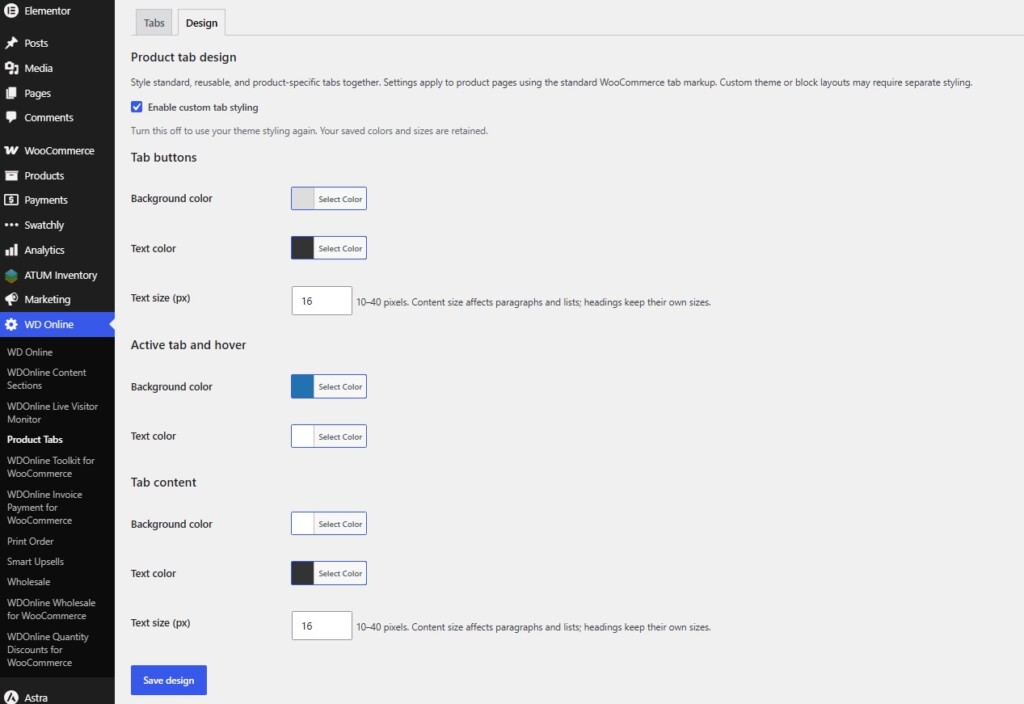
Match your product tabs to the look of your store using the separate Design settings tab.
Choose:
- Tab button background and text colors
- Active tab and hover colors
- Tab button text size
- Content background and text color
- Content text size
The selected button background also covers the full tab navigation row, giving the area a consistent appearance.
Set button and content text sizes separately from 10 to 40 pixels. Content text sizing applies to paragraphs and lists, while headings retain their own sizes.
Design settings apply to standard, reusable, and product-specific tabs together. Enable custom styling when you are ready, or turn it off to return to your theme’s appearance. Your saved colors and sizes remain available.
Adapt shared tabs for individual products
Reusable content can still accommodate exceptions.
On an individual product, hide a shared tab or replace its title and content. The original reusable tab remains available for other products.
Maintain common information centrally while giving individual products the details they need.
Integrate with WDOnline Content Sections
When WDOnline Content Sections is active, the reusable tab editor includes an Add Content Section button.
Insert section content, content with its featured image, or the featured image alone. Combine reusable sections with reusable tabs to make frequently used information easier to maintain.
Everything in one place
Manage shared tabs and their appearance under WD Online → Product Tabs, with separate Tabs and Design settings tabs.
Create individual product tabs from the product editor. The plugin interface is in English and ready for translation through WordPress translation tools.
The plugin works with WooCommerce’s standard product tab system and markup. Custom theme templates and block layouts that use a different structure may require additional integration or styling.
Clearer product pages, less repetitive work
Keep shared information consistent, give individual products their own details, and style your tabs to suit your store.
Download WDOnline Product Tabs for WooCommerce for free and take control of the content and appearance beneath your products.
Do you have suggestions for improvements to this plugin?
Plugin screenshots
Support WD Online
Our plugins are free. If you find them useful, you can support continued development. You decide the amount yourself and we see any amount as recognition that our plugin helps others.